Follow this guide to learn how to customize your channels on the dashboard. This process allows you to select and manage the bouquets available in your subscription. Follow these steps to tailor your channel lineup.
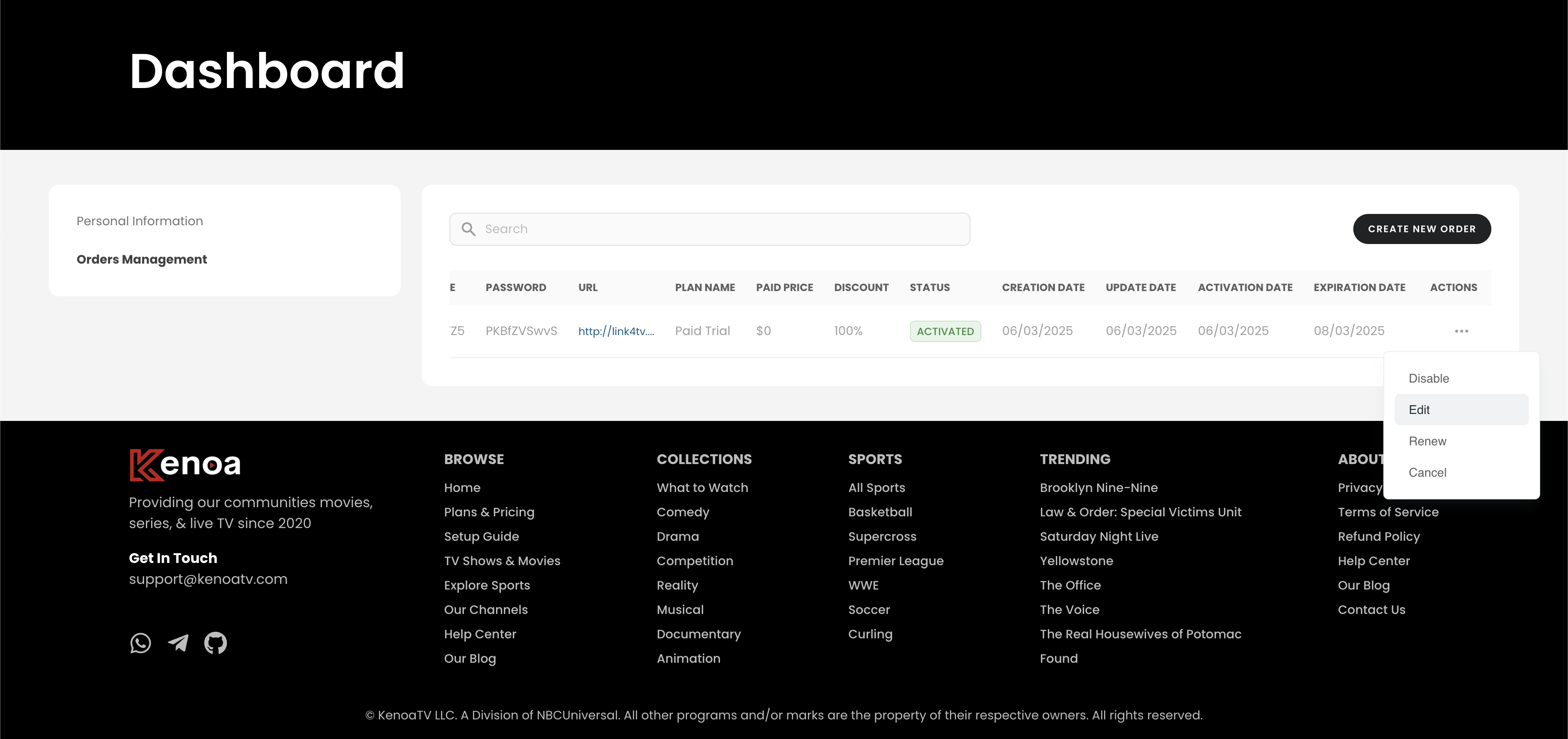
Step 1: Edit the order which you want to customize its channels
Log in to your account and go to the dashboard. In the "Orders Management" section, select an active order and click on "Details" to access the channel customization options. This will display the available bouquets for modification.
Step 2: Select Desired Bouquets
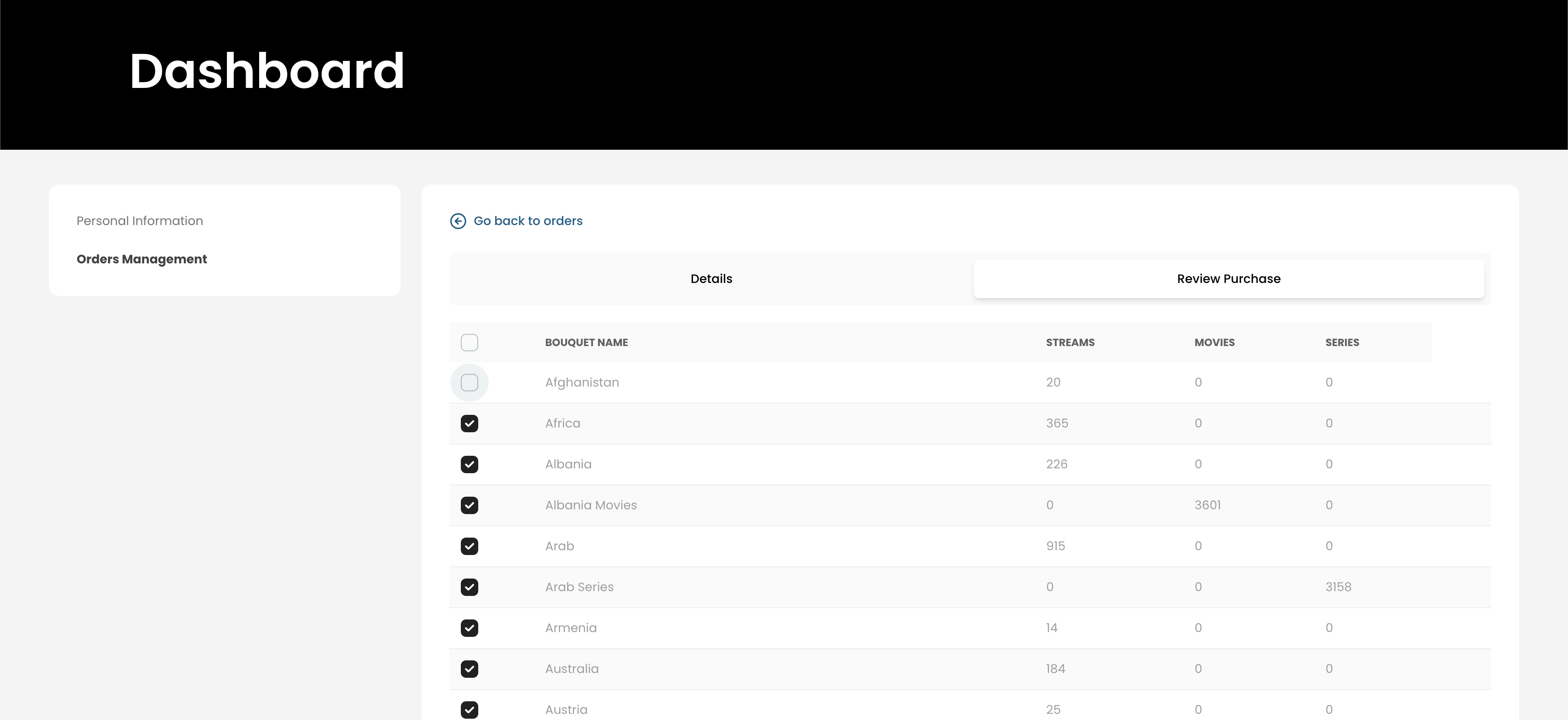
In the "Details" section, review the list of bouquets (e.g., Afghanistan, Albania, Arab, etc.) and their associated streams, movies, and series. Check the boxes next to the bouquets you want to include in your subscription (e.g., Albania with 226 streams). Ensure your selections meet your preferences.
Step 3: Save the Changes
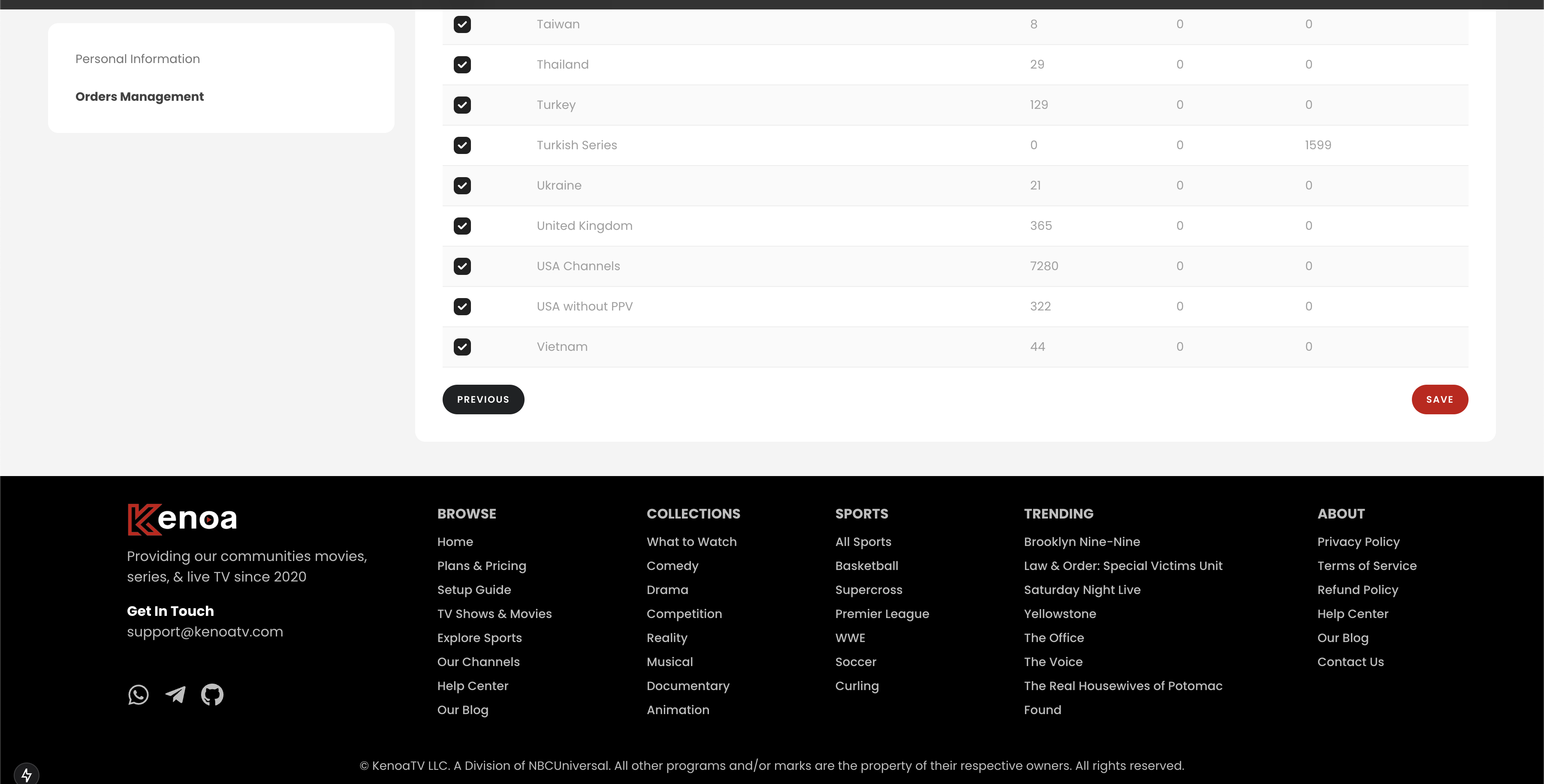
After selecting your desired bouquets, click the "Save" button at the bottom of the "Details" section. This will update your subscription with the customized channel lineup. Return to the "Orders Management" section to confirm the changes have been applied.
Tips for a Smooth Experience
- Review the streams, movies, and series counts to choose bouquets that suit your needs.
- Contact support if the "Save" button doesn’t work or changes aren’t reflected.
- Check your order details periodically to ensure your customizations remain active.