Follow this guide to learn how to renew your order on the dashboard. This process ensures your subscription remains active by updating your plan and payment details. Follow these steps to complete the renewal process successfully.
Step 1: Click Renew on the Dashboard
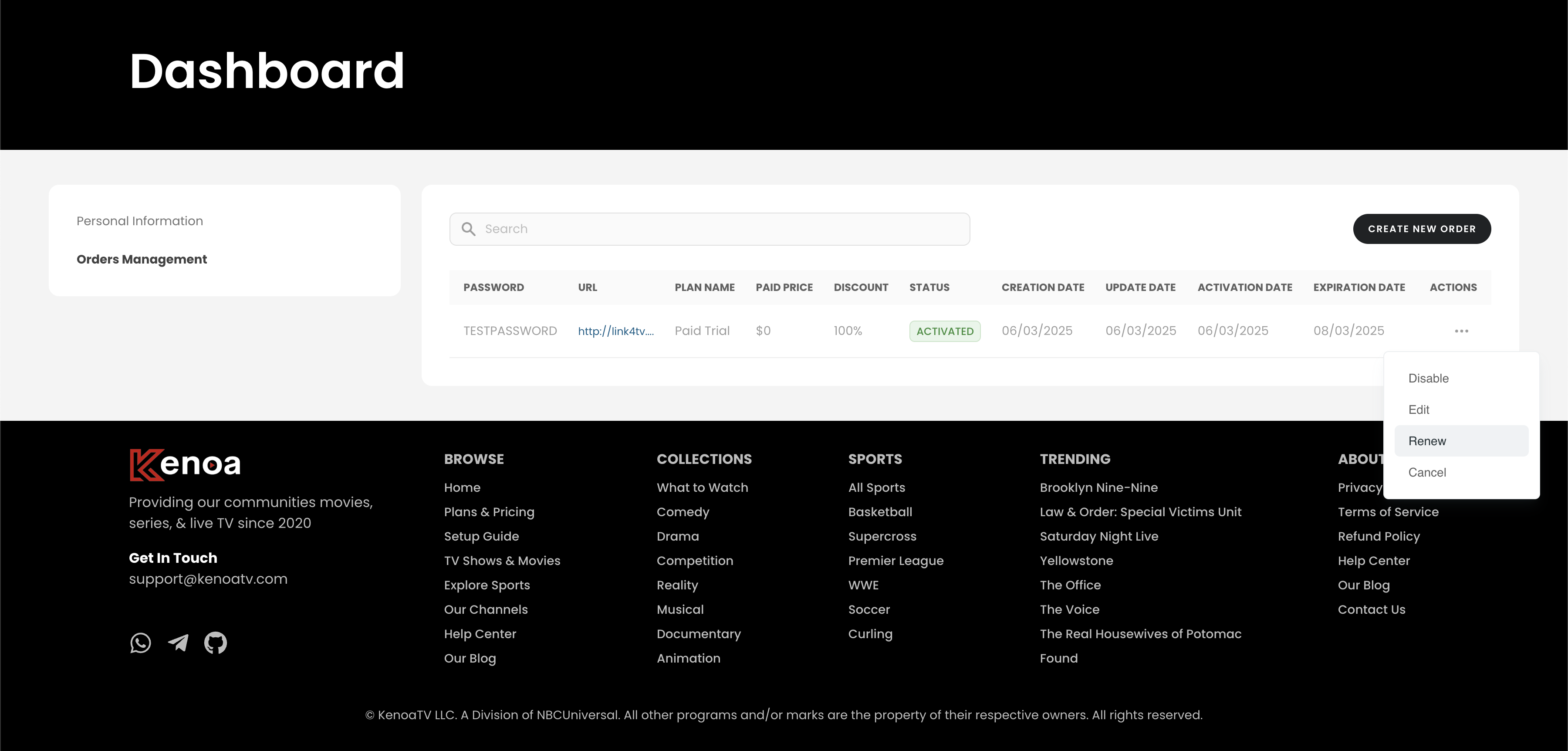
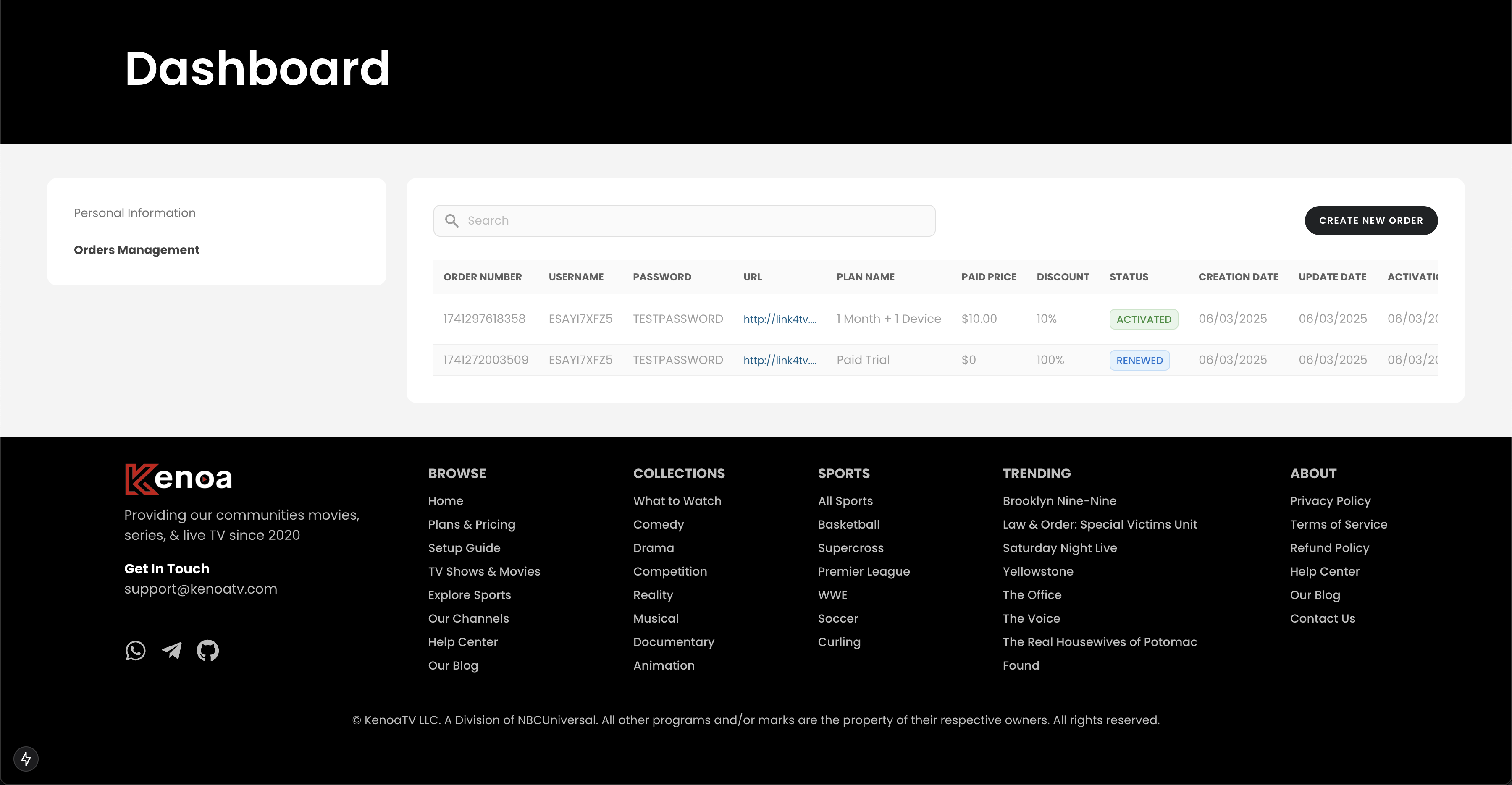
Log in to your account and navigate to the dashboard. Go to the "Orders Management" section, find the order you wish to renew (which may show an "Activated" status), and click the actions menu (three dots) next to it. Select "Renew" from the dropdown menu to start the renewal process.
Step 2: Pick a Plan to Renew
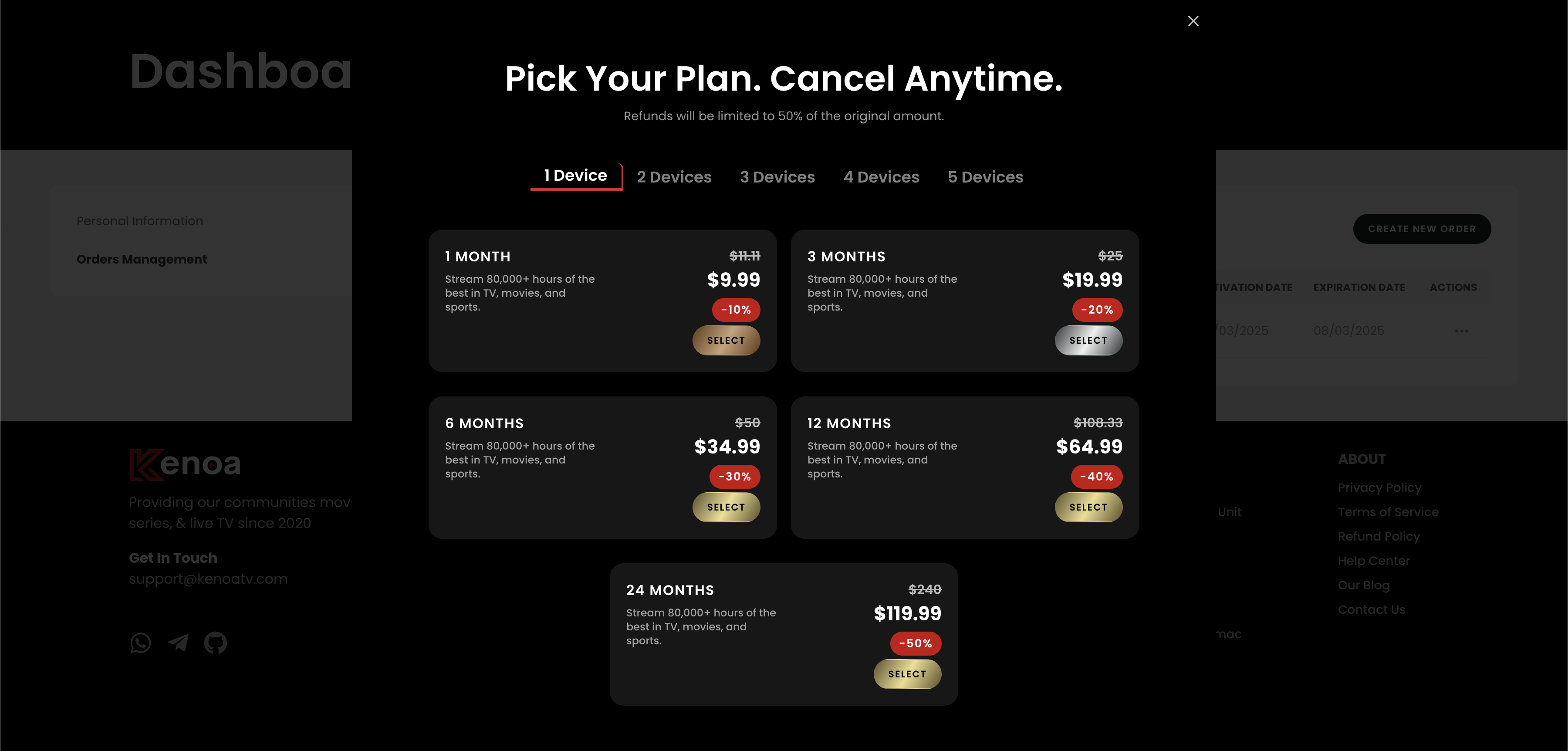
After initiating the renewal, you’ll be directed to the "Pick Your Plan" section. Choose the plan that suits your needs, such as "1 Month + 1 Device" for $9.99 with a 10% discount. Click "Select" to proceed with renewing your subscription.
Step 3: Complete the Checkout Process
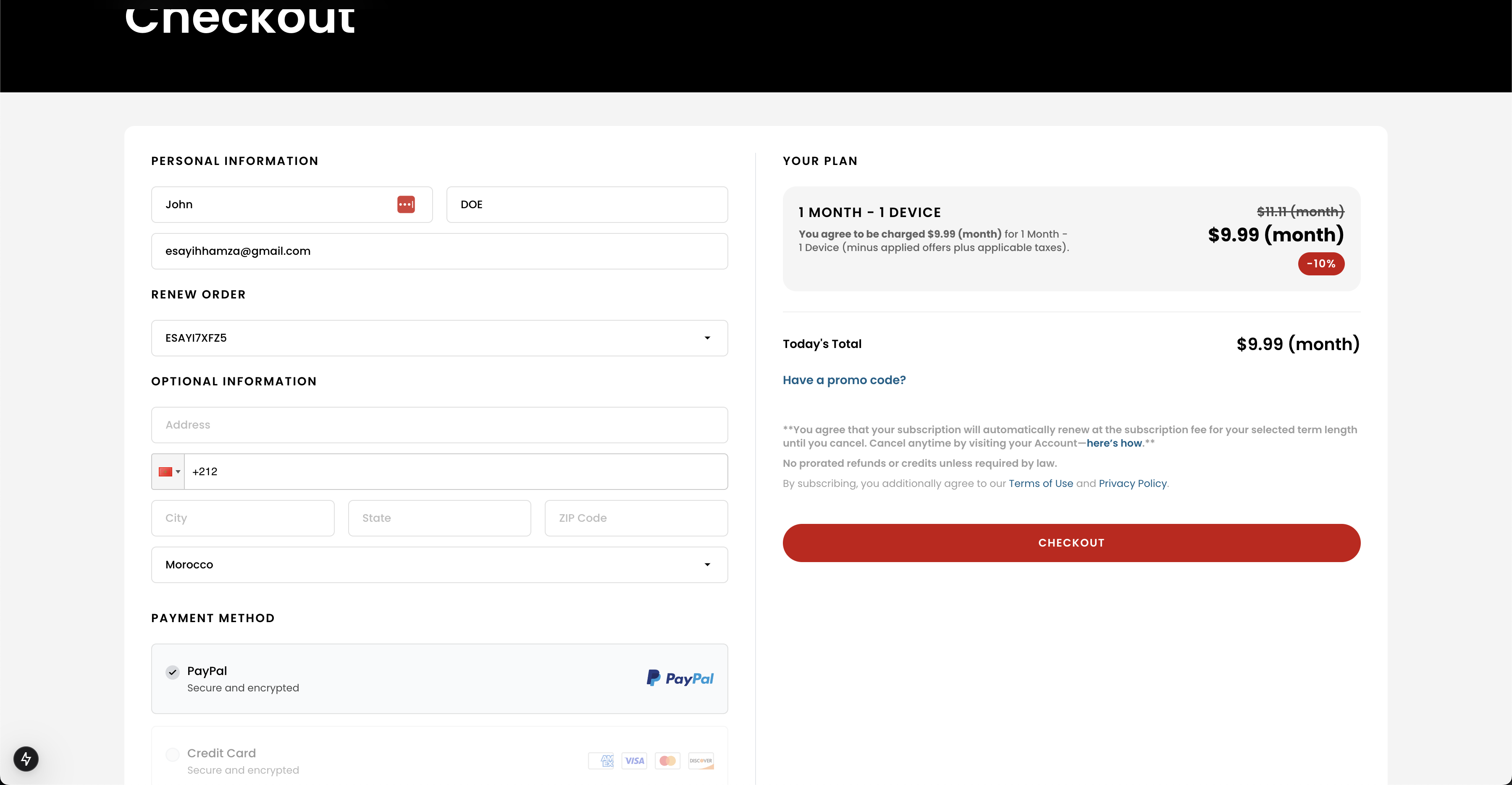
On the checkout page, enter your personal information, including your name and email. Optionally, provide your address details. Select your payment method (e.g., PayPal or Credit Card), review the total (e.g., $9.99 after a 10% discount), and click "Checkout" to proceed with the renewal.
Step 4: Verify Renewal with Email
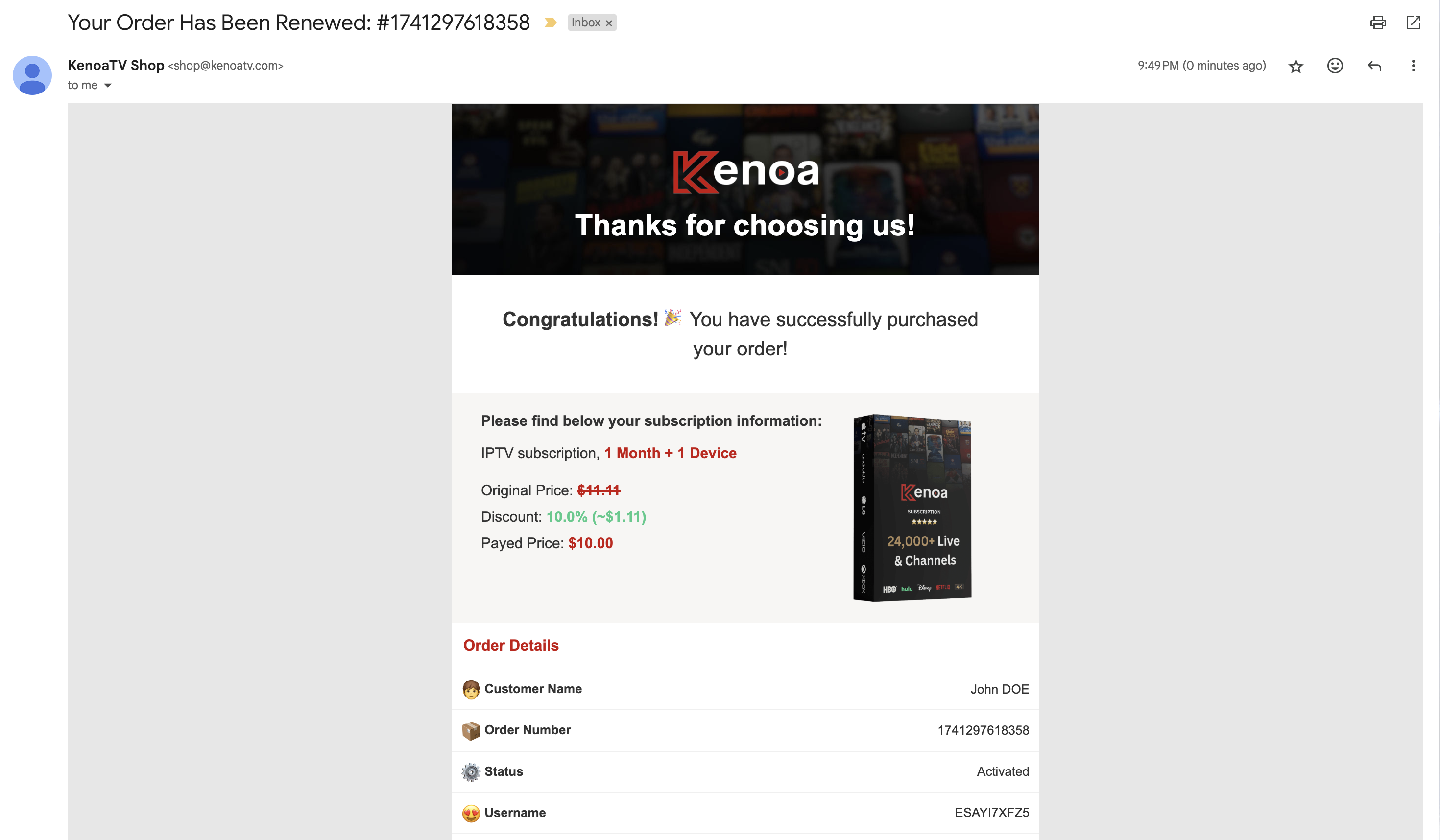
Check your inbox for a confirmation email from KenoaTV Shop. The email will confirm your renewed order, including the order number (e.g., #1741297618358), plan details (e.g., 1 Month + 1 Device), original price, discount, and paid amount (e.g., $10.00). This confirms the successful renewal of your subscription.
Step 5: Confirm Updated Order Status
Return to the "Orders Management" section on the dashboard to confirm the renewal. The order status should now show "Renewed," indicating that your subscription has been successfully updated. Verify the new expiration date to ensure the renewal has taken effect.
Tips for a Smooth Experience
- Ensure your payment method is up to date before renewing.
- Contact support if you don’t receive the confirmation email within a few minutes.
- Verify the new expiration date on the dashboard to confirm the renewal.