This guide provides a step-by-step process for purchasing a subscription plan on Kenoa TV. Follow the instructions below to select your desired plan and complete your purchase.
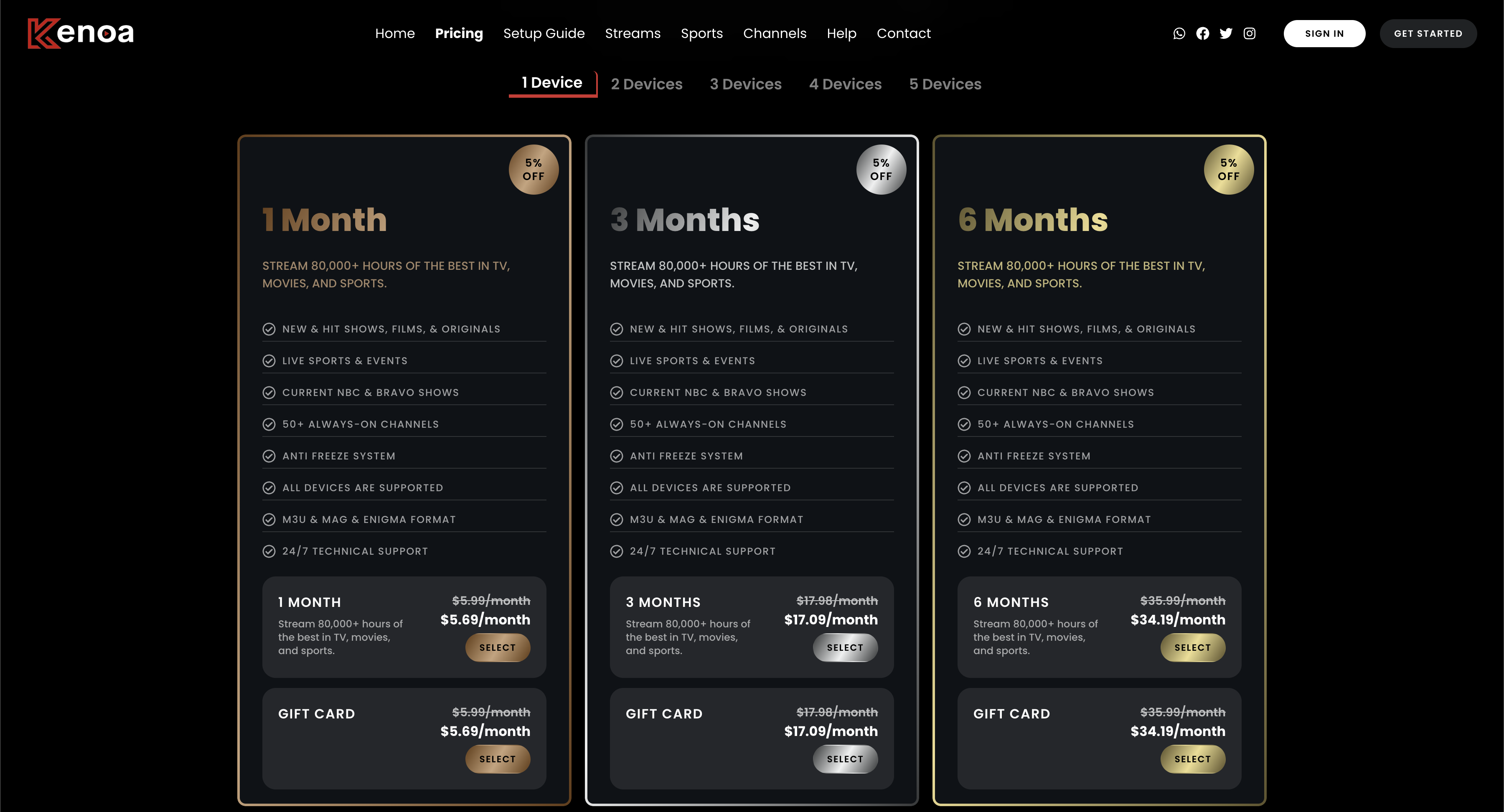
Step 1: Explore Subscription Plans
Visit the Kenoa TV pricing page to explore all available subscription plans. Choose the plan that best suits your needs. Plans may vary based on the number of devices, duration, and discounts.
Step 2: Fill in Personal Information
Once you've selected a plan, you'll be directed to the checkout page. Enter your personal details, including your name, email, and optional address. Ensure that your contact information is accurate to receive confirmation and further instructions.
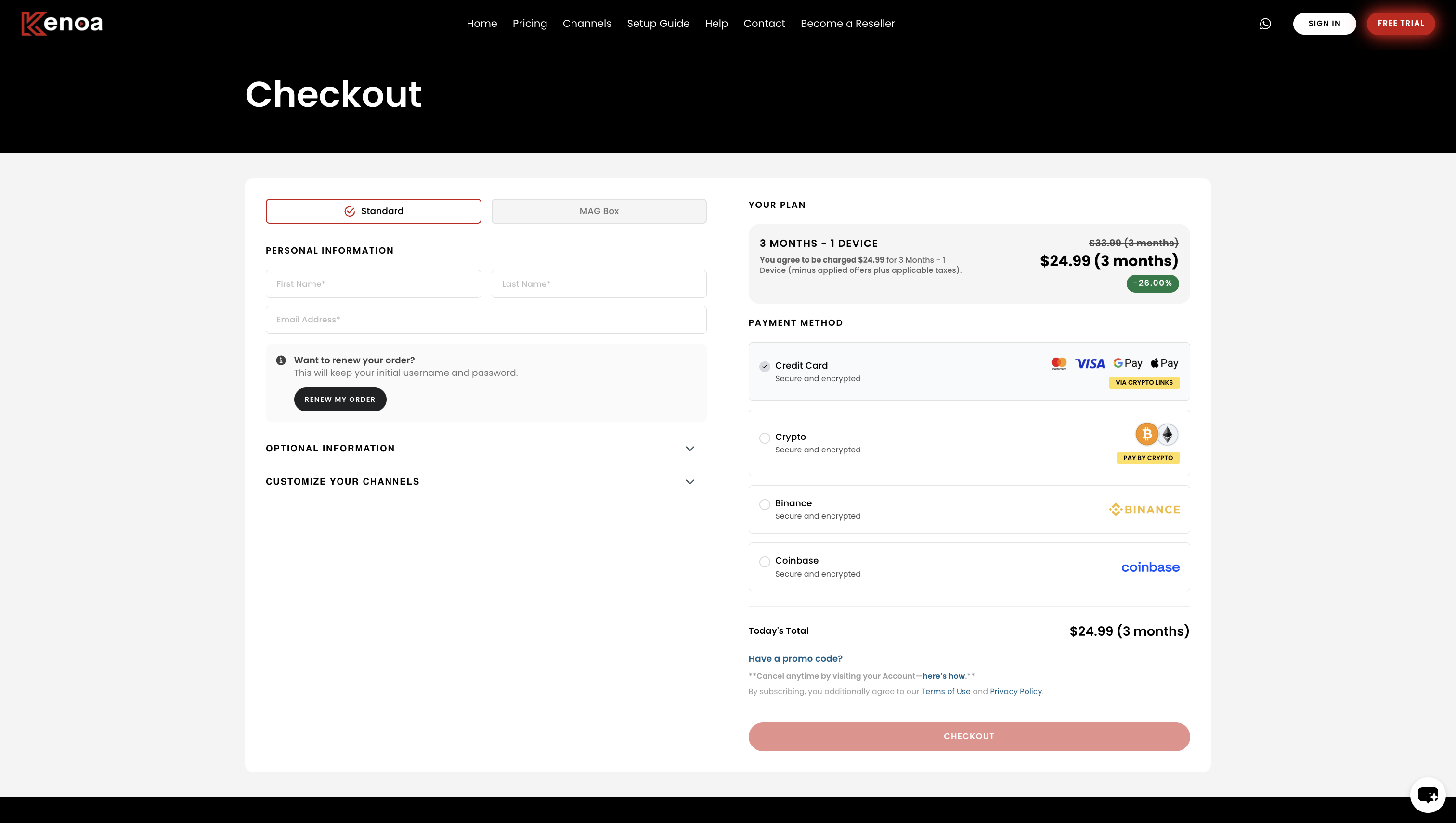
Step 3: Confirm the Plan Details
Review the details of the selected plan, including the pricing and duration. Apply any promo codes if available. Verify that the total amount displayed matches your expectations.
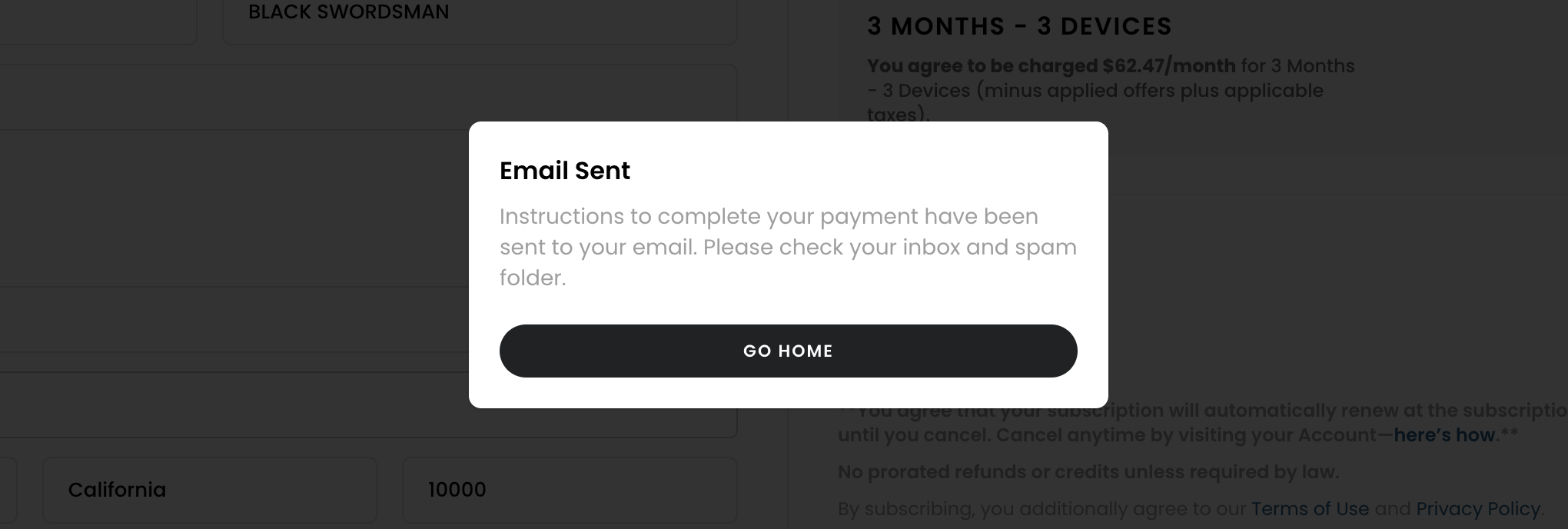
Step 4: Email Notification for Payment Instructions
After completing the checkout process, you’ll receive an email with instructions to finalize your payment. The email will include the amount to be paid and the details for making the payment.
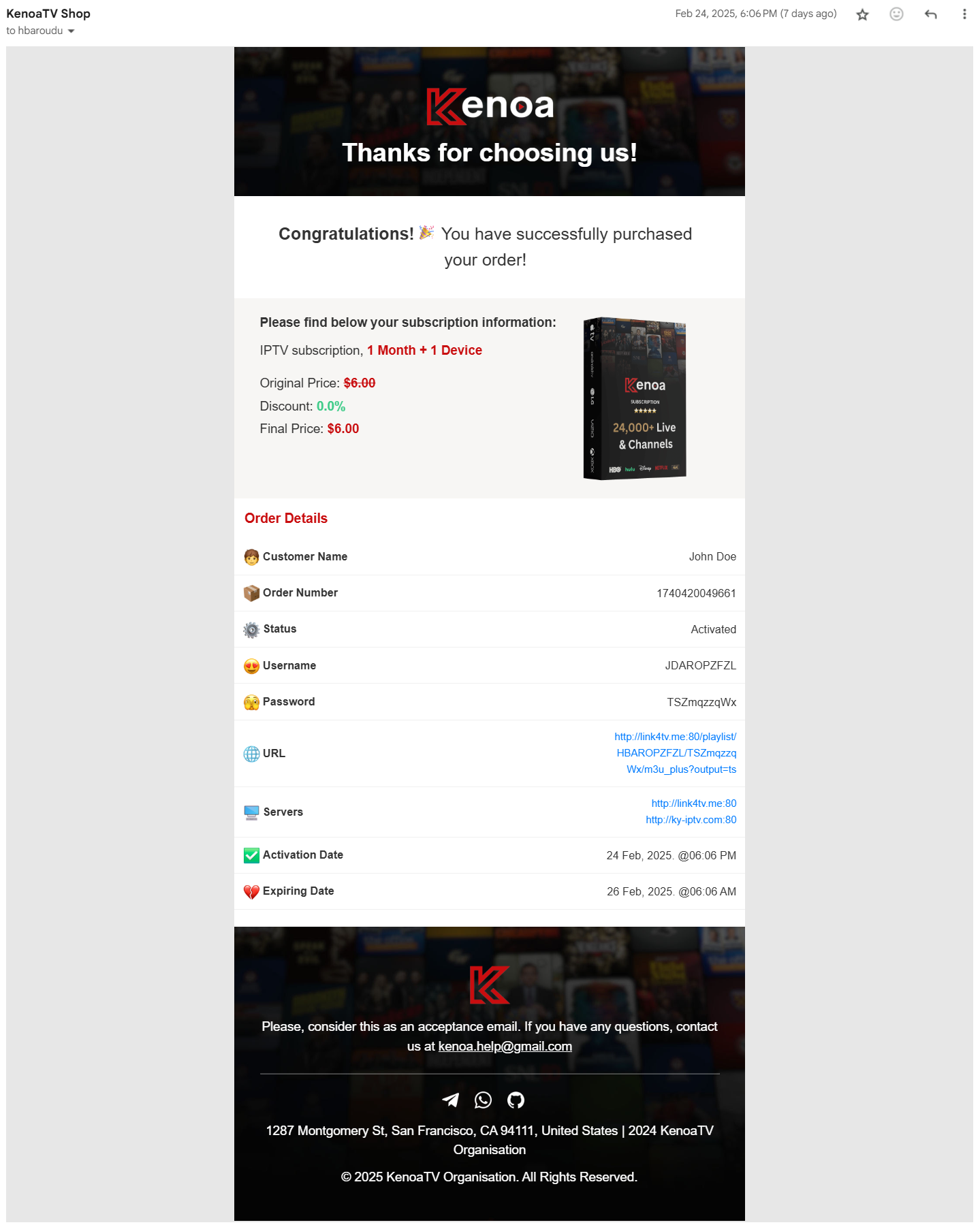
Step 5: Order Activation Confirmation
After your payment is verified, you’ll receive an email confirming that your subscription has been activated. This email will include your username, password, and server details, along with the activation and expiration dates of your plan.
Tips for a Smooth Purchase Experience
- Double-check all entered information for accuracy before proceeding.
- If you don’t receive the email, check your spam or junk folder.
- Contact customer support if you experience delays in activation.