Follow these steps to activate your free trial on Kenoa TV and start enjoying premium content today.
Step 1: Choose Your Plan
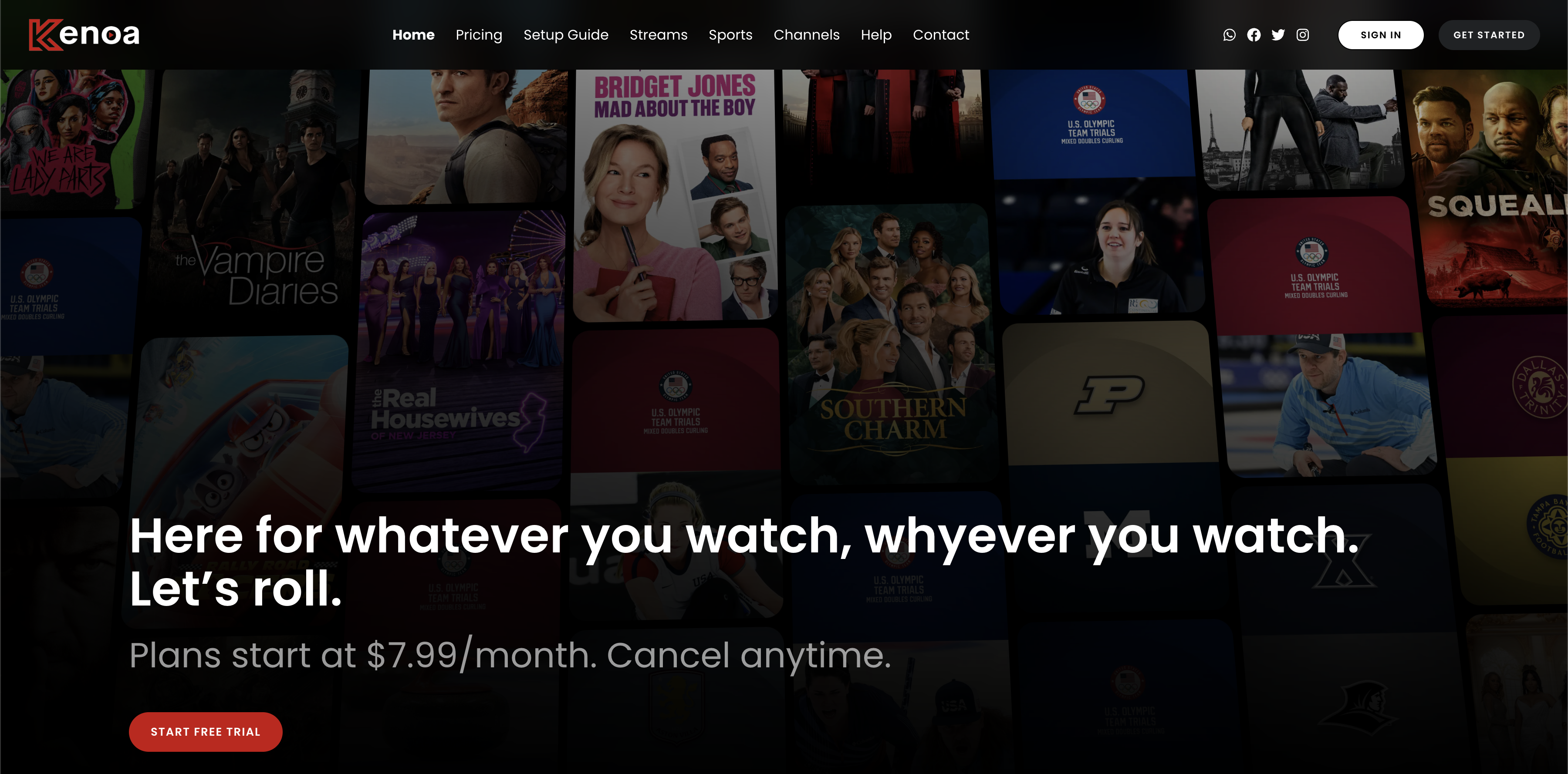
Visit the Kenoa TV homepage to explore available subscription options. Start your free trial by selecting the free trial plan from the subscription page. You can view features, pricing, and plan details directly on the homepage.
Step 2: Fill Out Your Personal Information
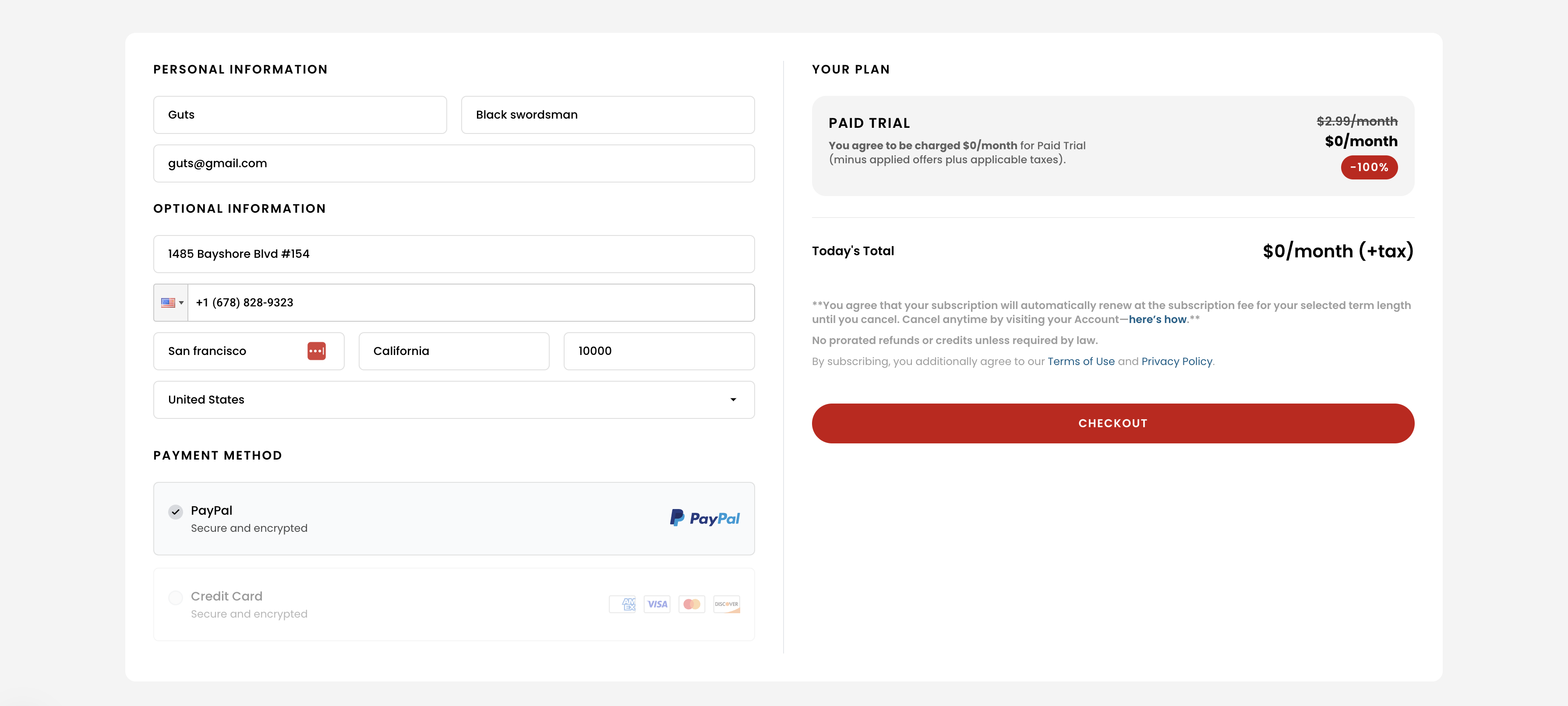
Once you've selected your plan, you will need to fill in your personal details. This includes your name, email address, phone number, and address. If you're opting for a free trial, payment information may not be required.
Step 3: Confirm Your Subscription
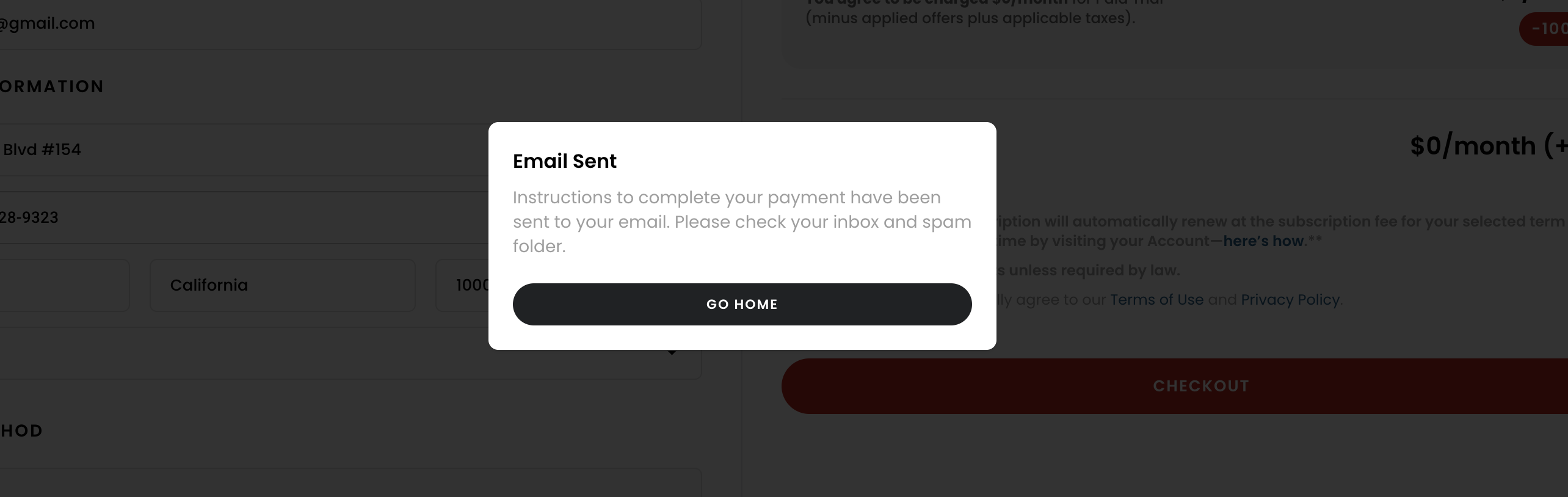
After submitting your details, you'll receive a confirmation message on the screen, notifying you that an email has been sent to you with further instructions. Make sure to check your inbox and spam folder for the activation email.
Step 4: Check Your Email for Activation Instructions
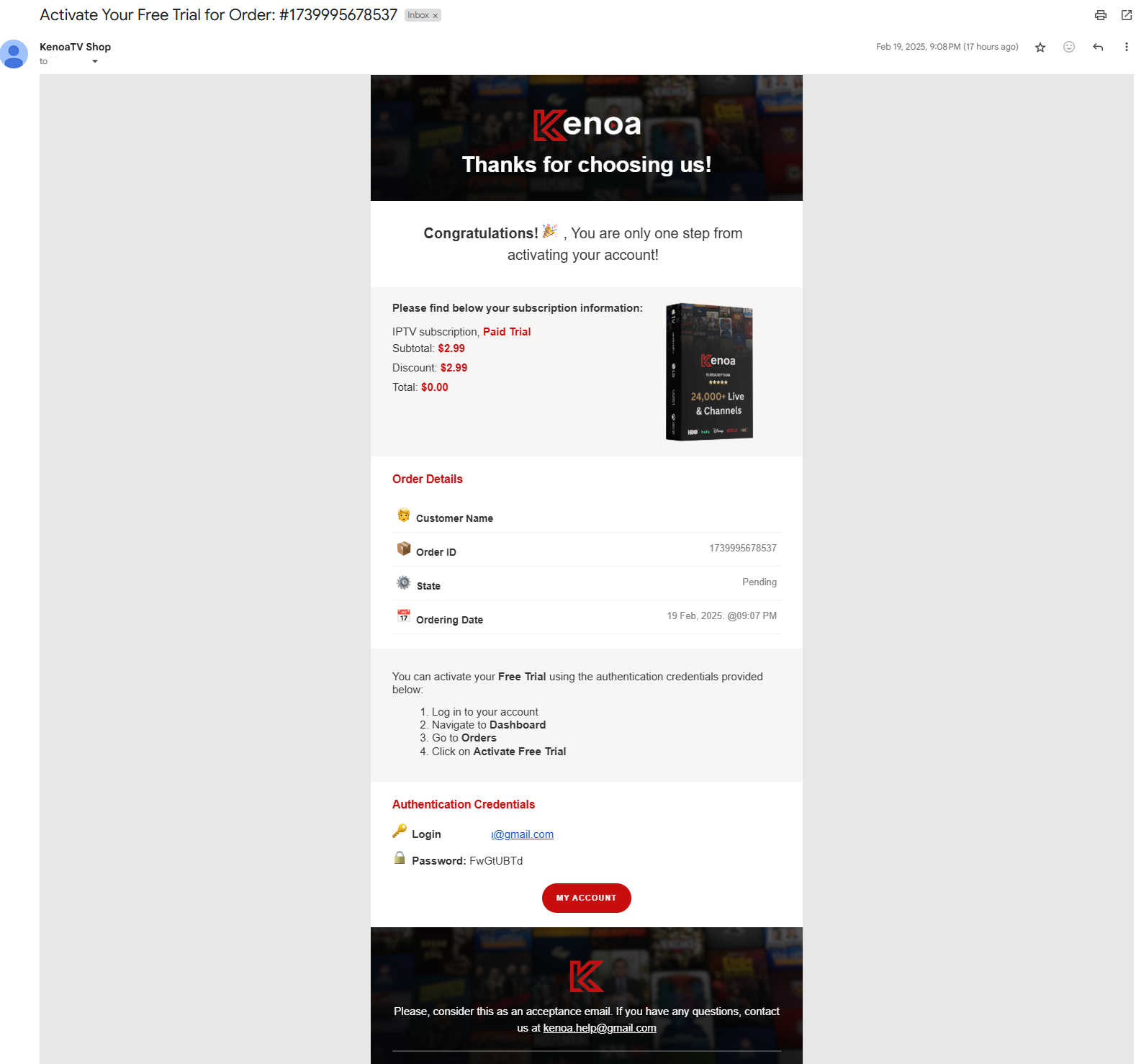
Open the email from Kenoa TV and follow the provided instructions. The email includes details about your chosen plan, your login credentials, and a link to activate your free trial.
Step 5: Navigate to the Dashboard and Activate
Log in to your Kenoa TV account using the credentials provided in the email. Once logged in, you will be redirected to your dashboard, where you will have the option to either activate your free trial and explore the features or cancel it if you no longer wish to proceed.
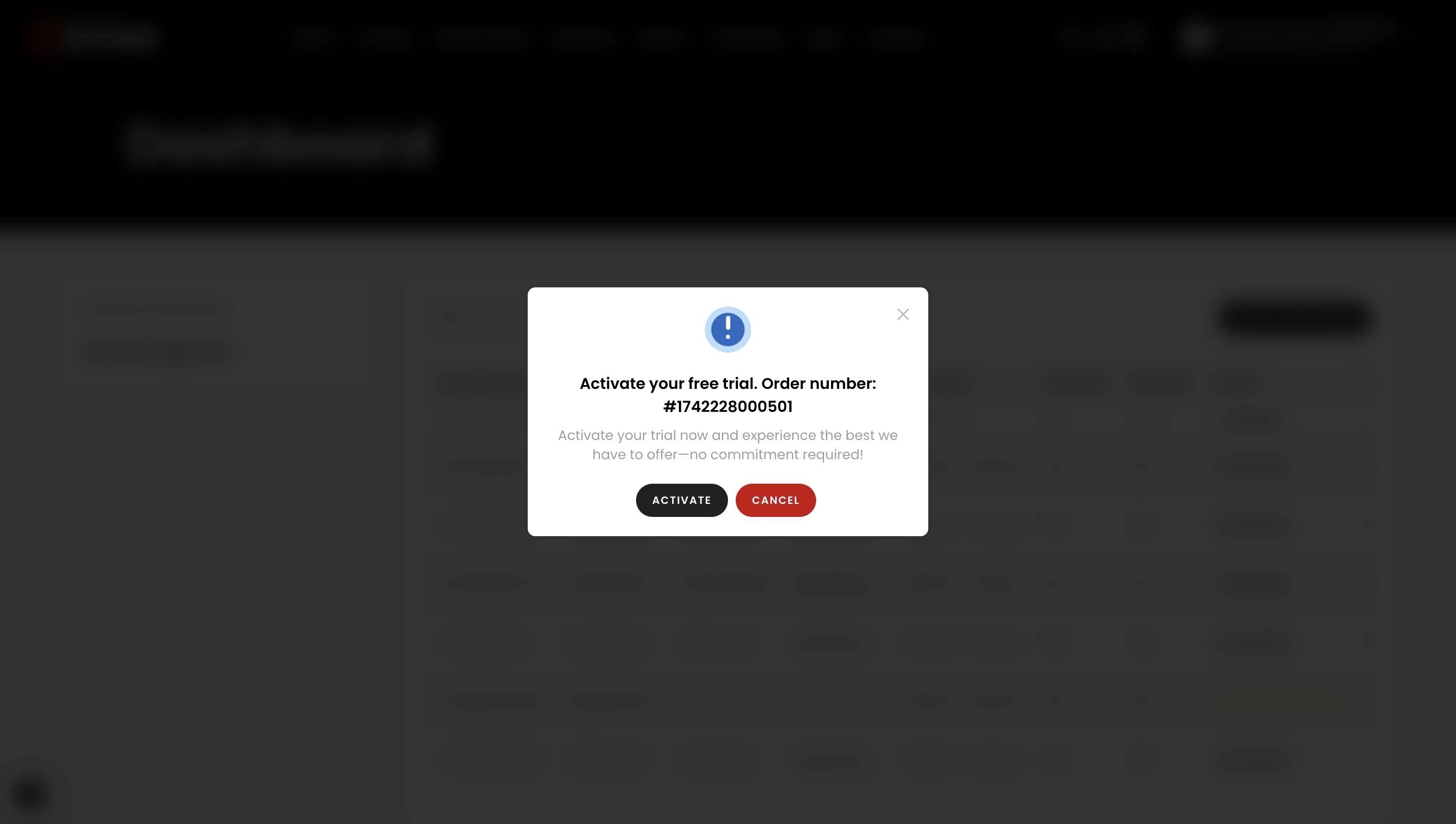
Step 6: Enjoy Your Free Trial
After activating your free trial, your dashboard will display the "Activated" status. You now have access to the full range of Kenoa TV content, including TV shows, movies, sports, and more.
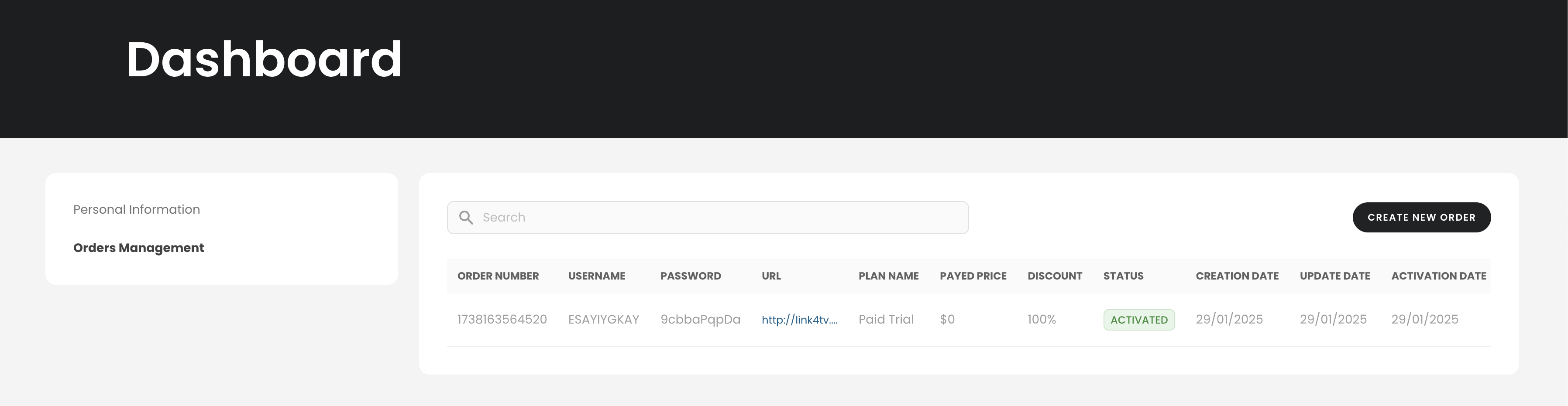
Step 7: Review Your Confirmation Email
Once your free trial has been successfully activated, you'll receive a confirmation email. This email contains all the necessary details, including your login credentials, server links, and the expiration date of your trial.
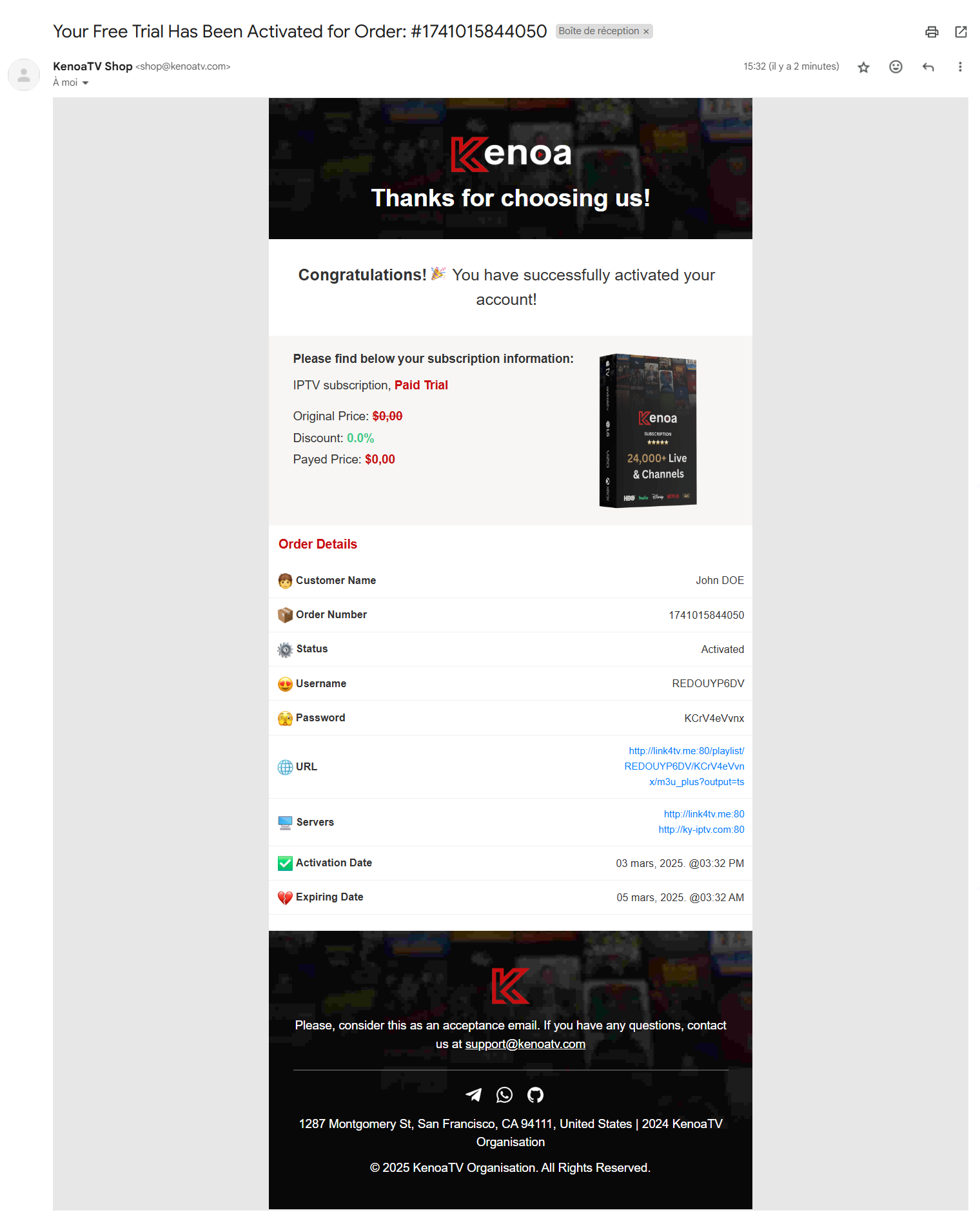
Tips for a Smooth Activation Process
- Double-check your email to ensure you receive the activation email.
- Check your spam folder if the email does not appear in your inbox.
- Contact support if you encounter any issues during the activation process.